


Nexar Classic
3.43.45K Reviews
App Specs
- Version
- 6.19.2
- Updated On
- License
- Free
- Downloads
- 100,000+
- Developer
- Nexar
- Categories
- Maps & Navigation
- Platform
- Android
Screenshots
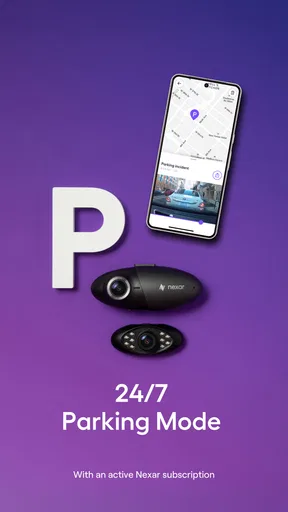
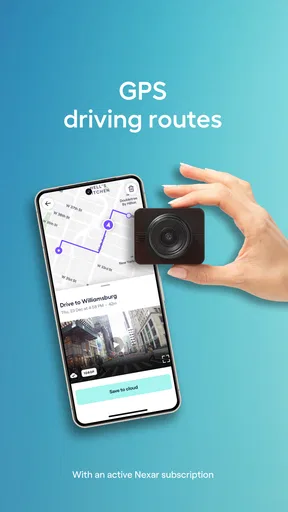
 Analysis by AppCompare
For me, a driving camera app earns trust less through reassuring language and more through what I can actually check before relying on it: whether it suits my phone and camera setup, what choices are visible in the app, and whether I’m comfortable with the information involved in recording a trip. Nexar Classic is a free Maps & Navigation app from Nexar, but it is designed to work with a compatible camera. That distinction matters: I would not treat it as a universal phone-only replacement for every dash cam.
Start with the equipment, not the download
Before planning a commute around it, I’d first check that my camera is compatible and that the phone can stay mounted and powered in the car. The app’s central purpose depends on that pairing, so the practical experience is shaped by the camera as much as by the software. A secure mount also keeps the phone from becoming a distraction; I would set everything up while parked rather than try to troubleshoot a connection on the road.
This makes Nexar Classic a better fit for someone who already has access to a supported camera, or who is choosing an app-and-camera setup intentionally. If you only want occasional footage and have no compatible camera, a standalone dash cam may be the simpler option. It avoids tying up your everyday phone and gives you a dedicated device for recording.
Trust is part of the driving workflow
A recording can include sensitive details even when the drive itself feels ordinary: where a person went, when they travelled, and what could be seen or heard around the vehicle. I’d think about that before enabling any recording or sharing choice, especially if other people regularly ride in the car. The useful question is not simply whether an app has safety features; it is whether its recording workflow matches the way I want to handle trip footage.
I would review the app’s visible settings and permission prompts during setup, then revisit them if my use changes. I would also avoid assuming that a cloud option automatically answers every question about retention, access, or privacy. Those are separate considerations, and I’d make a deliberate choice about storing or sharing a clip rather than treating every recorded drive as something that needs to be kept.
A New Way to Drive
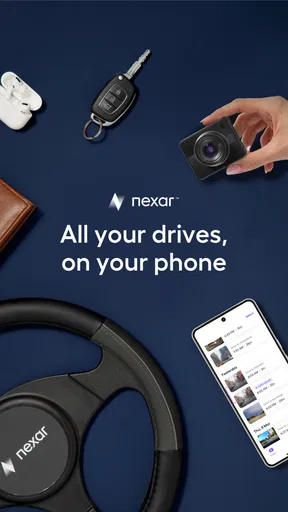
First off, if you're not familiar with Nexar Classic, it's essentially a smart dash cam app. The idea is simple but brilliant: turn your smartphone into a dash cam without shelling out big bucks for a separate device. Pretty neat, right?
Setting it up was a breeze. I just downloaded the app, mounted my phone on the dashboard, and voila! It was ready to start recording my drives. The app automatically captures everything, which is super handy if you need evidence of an incident or just want to relive a scenic drive.
Worth Reading Before You Choose

EA SPORTS FC Mobile 26 Is a Bigger Football Game, but It Takes Time

Flipboard Shows What News Apps Must Do Beyond the Feed

Switching to Android Auto Means Rethinking Your Driving Routine

Google Calendar Makes a Crowded Week Easier to Manage

Ludo King Makes the Most of the Minutes Between Plans

Baby Panda World Brings Quick Play to Modern Phones, but Its Game Library Feels Busy
Features That Stand Out
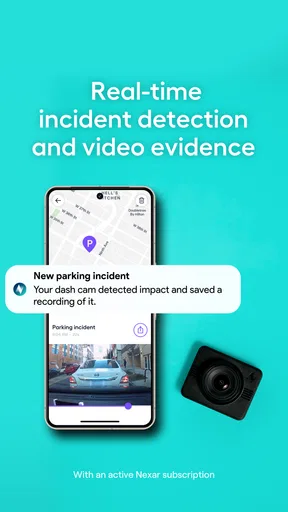
One of the features I really liked is the real-time alerts. The app warns you about potential hazards, like sudden braking or hard turns. This can be a lifesaver, especially if you're driving in unfamiliar areas.
Another cool feature is the automatic recording. You don't need to fiddle with buttons or settings while driving. Just set it and forget it. Plus, the app has a built-in GPS that tracks your route, speed, and location. This is great if you're into data or need to keep tabs on your driving habits.
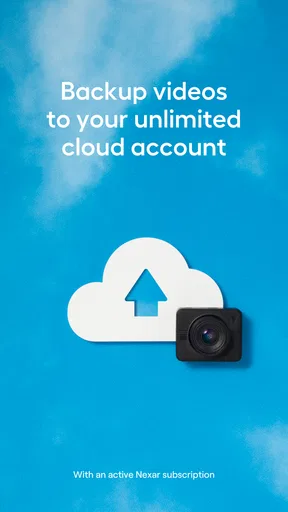
Oh, and did I mention cloud storage? Nexar offers free cloud uploads, so you never have to worry about running out of space on your phone. This also means you can access your videos from anywhere, anytime. Perfect for peace of mind!
Usability and Interface
The user interface is sleek and intuitive. Everything is laid out in a way that makes sense, and I didn't find myself hunting for features. There’s something satisfying about having all the necessary information at your fingertips without being overwhelmed.
The app works seamlessly in the background, and I didn’t notice any significant battery drain, which was a concern I initially had. As long as your phone is mounted securely, you’re good to go.
Making it work on a normal day
For a realistic routine, I’d treat the first few drives as setup checks rather than assume the app is ready for an important trip. Pair the compatible camera while parked, confirm that recording starts, and check where a clip can be found afterward. Then make a short test drive with the phone in its intended position. This catches the awkward issues that are easy to miss at home, such as a mount that blocks the view or a charging cable that gets in the way.
On a weekday commute, the value is less about watching a live screen and more about having a recording available if an unexpected event needs reviewing. I would keep the screen interaction to a minimum once moving. If an alert appears, it should not become a reason to look down or change settings; safe driving comes first, and any clip review can wait until the car is parked.
For a rideshare driver, the same workflow needs an extra privacy check. A camera recording may capture passengers or bystanders, so I’d make sure the setup and any sharing decisions are appropriate for the trip and the people in the vehicle. The app can be useful as a record, but it should not be presented to riders as a guarantee of safety or as a substitute for clear, respectful communication.
Choosing between a phone app and a dedicated dash cam
Compared with a conventional navigation app, Nexar Classic has a different job: it is centered on recording drives through a compatible camera, rather than simply helping plan a route or guide a turn. If my priority is directions, I’d use a navigation tool built around maps and route guidance. If my priority is a continuous driving record, Nexar’s camera pairing is the more relevant part of the setup.
A dedicated dash cam is the stronger choice for drivers who want a device that stays in the vehicle and does not compete with their phone for mounting space, charging, or everyday use. The app-based approach can be appealing if the compatible camera and phone setup already suits you, but it adds a phone to manage. I’d also consider whether I need to use my phone for calls or navigation at the same time; a second device may be more comfortable for long routes.
There is a useful trade-off around footage, too. Cloud access can make saved recordings easier to reach beyond the phone, while any cloud workflow makes it worth pausing to understand what is uploaded and which choices the app presents. I would not keep or share a clip just because it exists. For an incident, I’d locate the relevant recording when safely parked, check that it is the right moment, and decide carefully who actually needs to see it.
Who should give it a closer look
I can see the appeal for drivers who already have a compatible camera, want a record of regular trips, and are comfortable making a phone part of the in-car setup. Commuters may value having footage available after an unusual event; road-trip drivers may like the option of revisiting a route. The app also has a low entry price because it is free to download, although in-app purchases range from about $8.49 to $79.99 per item, so I would check the purchase screen before assuming every option is included at no cost.
It is less compelling for someone who wants a simple, standalone recorder, has an incompatible camera, or dislikes having a phone mounted for long stretches. Drivers who need a dedicated navigation screen may also prefer a separate dash cam, leaving their phone free for directions. Nexar Classic is intended for Everyone, and it has a 3.4 average from around 7,000 ratings, alongside roughly 3,500 written reviews. I’d take that as a reason to test the fit for my own setup rather than expect a perfect experience for every driver.
Why You Might Love It
If you're someone who enjoys road trips or just wants an extra layer of security while driving, Nexar Classic is worth checking out. It transforms your smartphone into a multi-functional device that records your drives and ensures you're aware of your surroundings.
It's also a great tool for rideshare drivers who might want to document their trips for safety reasons. The app’s ability to store data in the cloud adds an extra layer of security, knowing that your recordings are backed up.
Questions I’d settle before relying on it
One practical question is whether the app is suitable for an older phone. The current version is 6.19.2, and the minimum operating system is 8.0, but that alone does not tell me how smoothly it will run on every device. I’d install it, pair the camera, and test a short drive before counting on it for a long journey. Nexar Classic has been available since January 9, 2017, and has over 100,000 installs; neither age nor popularity can replace checking compatibility with the equipment I actually own.
I would also ask myself whether I need to keep every trip. If not, I’d learn how the app presents its recording and storage choices and make a habit of reviewing only clips that matter. For any cloud upload or sharing decision, I’d check the available controls directly and consider who could be identifiable in the footage. This is especially important when a vehicle is shared among family members or used to carry passengers.
Finally, I’d decide what I expect an alert to do. Alerts and recorded footage can support awareness and provide a record, but they do not prevent collisions or replace attention, judgment, or a safe following distance. The best use is a quiet one: prepare the setup before driving, keep interaction low while moving, and review information later when stopped.
Final Thoughts
All in all, the Nexar Classic app is a fantastic addition to any driver's toolkit. It's easy to use, packed with useful features, and offers an impressive level of functionality for a free app. Whether you're a daily commuter or an occasional road warrior, having this app running in the background feels like having a co-pilot looking out for you.
With seamless integration and a knack for capturing critical moments on the road, Nexar Classic has definitely found a permanent spot on my phone. Give it a try, and you might just find it’s the driving companion you never knew you needed!
A cautious recommendation
My recommendation is conditional: if you have the compatible camera, a suitable phone, and a clear plan for handling recordings, this can be a practical addition to a driving routine. I would test pairing, recording, and clip access before depending on it, and I would make privacy choices deliberately rather than assume the defaults fit every household or work situation. The developer is Nexar, and the app is free to start, with optional purchases in the app.
If those conditions do not fit, a dedicated dash cam or a separate navigation app may be a better match. Nexar Classic is most convincing when its camera-based recording solves a real need without adding distraction. Used with care, it can offer a helpful record of a drive; used without checking the setup or the handling of footage, it is not a substitute for attention behind the wheel.
Pros
- Real-time collision alerts enhance safety.
- AI-driven dashcam for smart driving.
- Automatic trip summaries simplify tracking.
- Cloud storage for video backups.
- User-friendly interface for easy navigation.
Cons
- Requires constant internet connection.
- High battery consumption during use.
- Limited features in free version.
- Occasional GPS signal loss issues.
- Video uploads can be slow at times.
FAQs for Nexar Classic
What is Nexar Classic, and how does it work?
Nexar Classic is a dashcam app designed to enhance driving safety by recording your trips and providing real-time alerts. It uses your smartphone's camera to capture video footage while driving. The app also uses AI to detect and alert you to potential hazards, such as sudden braking or hard turns, to help prevent accidents.
Is Nexar Classic compatible with all smartphones?
Nexar Classic is compatible with most Android and iOS devices. However, for optimal performance, it is recommended to use a smartphone with a good camera and sufficient storage space. Make sure to check the app's requirements in the app store to ensure compatibility with your specific device model.
Does using Nexar Classic significantly impact battery life?
Yes, using Nexar Classic can impact your phone’s battery life as it requires continuous camera use and GPS tracking. It is advisable to keep your phone connected to a charger while using the app for extended periods. Some users prefer to use a dedicated device to avoid draining their primary phone's battery.
How does Nexar Classic handle privacy and data security?
Nexar Classic prioritizes user privacy by storing video recordings locally on your device. You have the option to upload data to the cloud for backup, but this is not mandatory. The app adheres to strict privacy policies, ensuring that your data is never shared without your consent. Always review the app's privacy policy for detailed information.
Are there any costs associated with using Nexar Classic?
Nexar Classic offers a free version with basic features, but there may be additional costs for premium services. These can include cloud storage for video backups or advanced features. Check the app for any in-app purchases or subscription options to understand any potential costs before downloading.


